On this page
Would you pay 40% more for an AI feature if the vendor couldn’t show what it built beyond a basic model connection? That’s the question to ask when an AI-powered price hike shows up on your invoice.
The vendor adds an AI assistant, a content generator, or a recommendation feature, and the upgrade looks very advanced. They increase the tool price as AI feels expensive and difficult to build. As a buyer, you assume the premium reflects deep technical work.
Sometimes it does. A useful AI feature can easily combine your data, workflow automation permissions, quality checks, integrations, and reliability controls in a way a regular chatbot cannot.
In some cases, the feature is little more than a call to a tool such as Claude, ChatGPT, or Gemini placed inside the vendor’s existing interface. It doesn’t mean the product is bad. Several useful products are built on external AI models.
But the problem is that when your vendor charges for it as though they built a rare and proprietary intelligence, they cannot show what meaningful product layer exists beyond the model call.
This guide explains how to spot AI wrapper apps so you can tell the difference between an AI feature worth paying for and an expensive markup with little evidence backing it.
› What is an AI Wrapper App? When Does It Become a Problem?
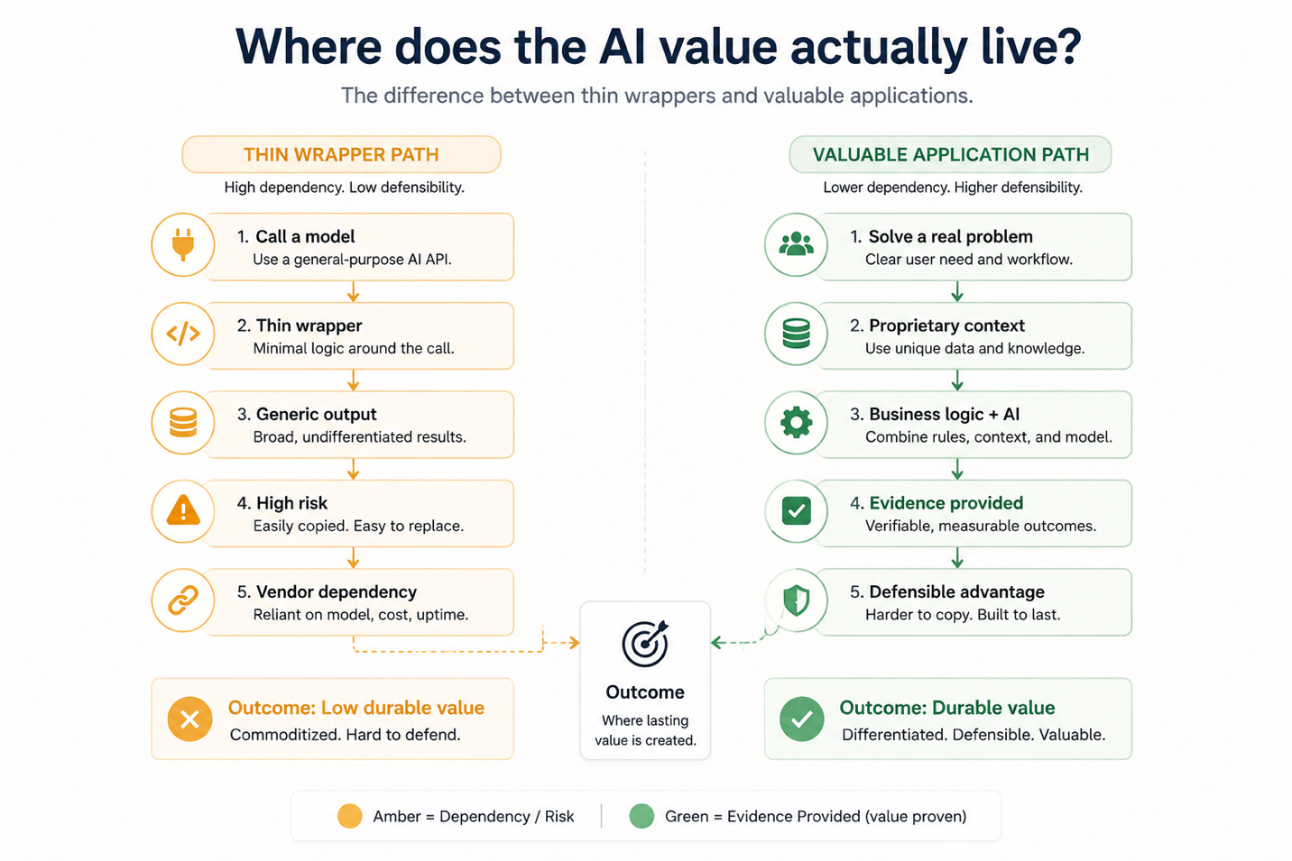
An AI wrapper app is when a tool uses an external AI model like GPT, Claude, or Gemini and then adds its own product layer around it. The layer may be an interface, instructions for the model, business data permissions, or workflow rules. Many useful AI products work in this way.
Width: 0px, Height: 0px
Width: 1292px, Height: 861px
Width: 1292px, Height: 861px
Width: 1292px, Height: 861px
Width: 1292px, Height: 861px
Width: 1292px, Height: 861px
Width: 1292px, Height: 861px
Width: 1292px, Height: 861px
Width: 0px, Height: 0px
Width: 1292px, Height: 861px
Don’t ask if the vendor used someone else’s AI model. The crucial question is: what did your vendor build around it that makes the tool safer, more useful, and more reliable than using the model directly?
A credible API-based product earns its higher price by connecting AI to approved company data, respecting user permissions, checking output quality, providing a fallback when the model provider has issues, and adding it into existing workflows.
But the AI wrapper becomes a problem when the marketing claim is bigger than the product layer backing it. If your vendor cannot explain how it manages data, improves output quality, supports your workflows, and prices usage as it grows, you might be paying a premium for a familiar model with a polished interface.
A basic prototype is quick to build, but a secure, reliable, and permission-aware product takes time and effort to build, which is exactly why a fair price depends on the vendor being able to explain it.
The vendor need not reveal source code or proprietary prompts, but if they want to price it at a premium, they should be able to answer these questions clearly.
» What You Are Buying: Thin AI Wrapper vs Valuable AI Application
| What to Check | Thin Wrapper | Worth Paying For | Ask Your Vendor |
| Model access | One external model with little visibility used as is | Names the model providers, explains the model selection approach, and has a fallback plan when it fails | Which models power this feature, and what happens when it goes down? |
| Your data | Unclear handling of files, outputs, and prompts | Uses approved data with clear retention controls and permissions | What data will leave our environment, how long will it be retained, and what will be used to train the model? |
| Business context | Answers rely on what the user types in the prompt | Uses relevant records, existing policies, and user permissions | Which of our data sources can it use, and how do we protect access permissions? |
| Workflow | Standalone chat box or “generate” button | Built into your recurring task with audit trails, approvals, and controlled actions | How does this fit into a task our team already performs? |
| Quality control | No stated monitoring, testing, or known limitations | Test outputs, monitor quality, and review model changes | How do you test quality and what happens after a major update? |
| If it breaks | This feature fails with little communication or workaround | Offers a fallback, manual process, or clear support commitment | What happens to our work if the is model provider unavailable for a day? |
| Price | Premium pricing with unclear caps, credits, or overages | Predictable pricing with transparent usage limits | Can you show costs at our current and doubled usage? |
| Portability | Prompts, configurations, and generated assets are locked in | Clear export, deletion, and transition options | If we leave, what can we export and what will be deleted? |
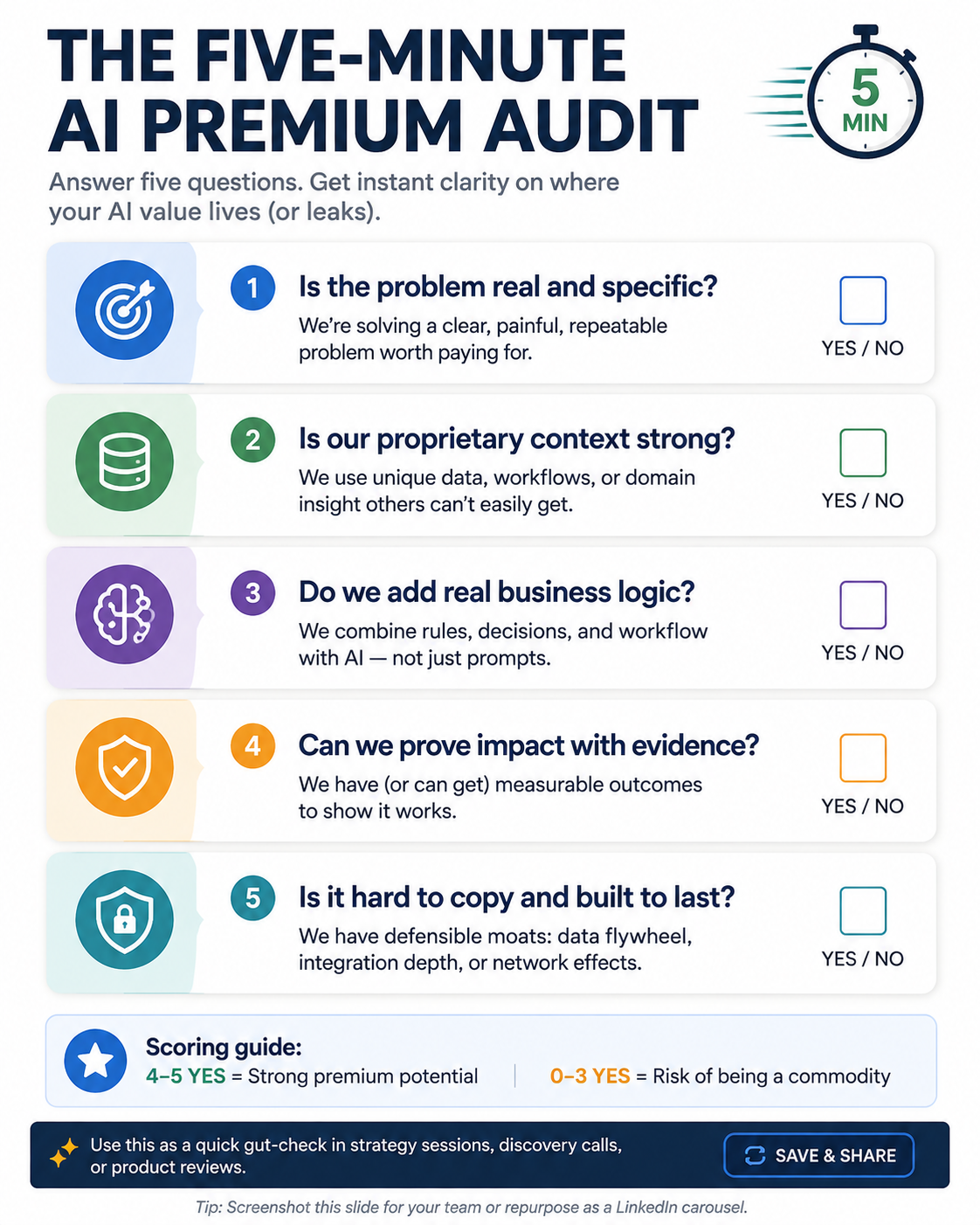
› How to Spot AI Wrapper Apps: A Five-Part Buyer Audit
You don’t need to be an engineer to evaluate the tool’s AI feature. Know whether the vendor can explain the data, workflow value, tool’s reliability, quality controls and commercial terms behind their AI claim.
Width: 0px, Height: 0px
Width: 1122px, Height: 1402px
Width: 1122px, Height: 1402px
Width: 1122px, Height: 1402px
Width: 1122px, Height: 1402px
Width: 1122px, Height: 1402px
Width: 1122px, Height: 1402px
Width: 1122px, Height: 1402px
» Data Flow
Every request travels someplace before the tool’s AI feature answers it. Ask your vendor which model provider does the processing. Know whether your prompts, files, and customer data will leave the vendor’s environment and what happens once the answer is generated.
The key distinction is between inference and retention.
Inference is when the model processes your input to generate the output, while retention is what the vendor or model provider would keep the output afterwards. These include files, outputs, prompts, usage logs, and data that could help them improve systems.
Ask this question while assessing. “What data leaves our environment during the request, how long is it retained, and is any of the data used to train or improve the AI model?”
Your vendor doesn’t need to show you the source code. But they can walk you through the data flow in plain terms and put their answers on storage, deletion, subprocessors, and retention in writing.
» Workflow Depth
A chat box that drafts your email may be useful. On its own, that doesn’t justify a major price increase.
Look for AI features that work with the information, permissions, and actions already built into the product. A customer engagement platform, for example, can do more than just draft the push notification. It can use the approved customer data to suggest a segment, explain why it picked that audience, and create a campaign draft.
Before you sign off on the price, ask the vendor to show you how the feature improves a task your team already performs and what your people can review, approve, or change before anything goes live. If the AI genuinely reduces real work while keeping those controls in place, the premium is easier to justify.
» Evidence Quality
A demo always shows what the product can do under ideal conditions. What it doesn’t tell you is how it will perform after months of use or when the request is unclear.
Get a product architecture review, model card, evaluation method, known limitations, and examples of situations where the feature cannot be used. A provider that’s done the work will test and monitor outputs, document risk controls, and even review performance after major changes.
You should ask your vendor this question.
“How do you test output quality, what failure modes have you identified, and how do you evaluate performance after a major update?”
» Dependency Resilience
An API-based feature depends, even in part, on an infrastructure that remains outside the vendor’s control. That alone shouldn’t be the reason to disqualify them. But you should know whether the vendor has planned for service disruptions, model depreciation, and pricing changes.
Find out whether they have a fallback model, a manual process, a graceful way to degrade, or a service-level commitment covering the AI feature. Check too what you can export if you leave: generated content, prompts, configurations, and any other connected knowledge assets.
👉 You May Also Like: How to Do AI Model Lock-In Audit?
This is the question you must ask before accepting the premium pricing.
“What happens to our work if your model provider is unavailable for a day? What can we export if we stop using this feature?”
» Price Predictability
Make sure the pricing is visible before you commit to it. Find out whether you are paying per user, per action, per token, or through a bundled plan. Ask about caps, fair-use limits, overage fees, and what happens to cost if usage doubles.
👉 Know More About Per Seat vs Usage-Based Pricing Model
The most useful thing you can do here is ask the vendor to model your costs at current, double, and peak usage, including caps, credits, overages, and renewal terms, before you sign anything.
If the feature seems promising but the evidence or cost is unclear, ask for a time-bound pilot with agreed success metrics instead. A premium is easier to justify once the pilot shows measurable time savings, better decisions, and lower risks.
› AI Vendor Due-Diligence Questions That Get Better Answers
A useful conversation with your current or potential AI vendor should yield clear, specific information that is not decorated in impressive technical language. They should know that you aren’t trying to move them off the shortlist or get access to their source code.
You need to understand what the product depends on, what happens to your data, and what value the vendor will add to the AI feature. A vendor worth paying a premium won’t disclose every implementation detail, and that’s fine. But they will name providers and explain data handling and retention in simple terms.
Additionally, they should show where the product adds value beyond the base model and document how the tool manages quality, outages, and upgrades.
This table takes you through the top questions to ask the vendor, what a credible answer sounds like, and what should be disqualified as an answer.
» Due-Diligence Questions and Their Credible Answers
| Ask this question | This is a credible answer |
| Which AI models and providers are backing this feature? | Names all the providers and models, explains why they are using them, and gives you fallback options |
| What happens to the information we add into the system? | Separates processing, logging, retention, and deletion and states plainly whether the data is used for model training or improvement. |
| What have you built around the underlying model? | Explains the entire workflow, data connections, permission controls, evaluations, and integrations. |
| How do you know the output is good enough to use? | Describes their testing methods, evaluation criteria, monitoring, known limitations, and human review. They will also mention what changes after the model update. |
| What happens if a provider fails or changes the service? | Explains fallback options, manual workarounds, customer communication, and support commitments. |
| How does the price change as we grow? | Gives you clear pricing units, caps, credit overages, and renewal terms |
Treat these answers as evidence for your buying decision. If the feature is useful but the vendor cannot give you clear answers yet, limit the risk by running a time-bound pilot. You can define success metrics, avoid broad data access, and avoid customer-facing automation. Always document data use, retention, support, change control, incident response, and customer exit terms before procuring the tool.
› Buy, Negotiate or Walk Away
In the end, it’s not really about whether the vendor’s AI is real or just a wrapper. What matters is whether the feature is worth the price increase and knowing what your business is signing up for.
» When to Buy?
You can go ahead and pay the premium if the tool fulfils these three conditions.
- It improves a high-frequency task. This feature saves time, improves output quality, reduces risk, and helps your team make better decisions in their regular work.
- The vendor is willing to put the product layer in writing, mentioning what happens to your data, which providers the model depends on, and how quality is managed.
- The economics of the whole deal are visible. That means you can predict costs based on your expected usage, understand caps and overages. You can even test the feature against the defined success measure before scaling.
» When to Negotiate?
Negotiate when the product seems useful, but the evidence doesn’t fully justify the commercial terms.
- The value is credible but not supported by sufficient proof. This is when you ask for a time-bound pilot tied to one workflow and a measurable outcome. It could be time saved, improved resolution quality, or even increased conversions.
- The risk terms seem incomplete. Include data retention, model training use, outage communication, and support expectations in the contract or security documentation.
- The bundle includes more than you need. You can unbundle the AI add-on from features you don’t need, request volume-based pricing, or negotiate protection against unnecessary overages.
» When to Walk Away
If these conditions apply, it is better to walk away or go for a low-cost general-purpose tool.
- The vendor is unable to explain the basics. They cannot clearly describe data handling, model dependencies, limitations, or what happens when a feature fails.
- The feature adds little workflow value. It is a generic chatbox or text-generation button with no meaningful connection to your data, permissions, or daily work.
- The commercials are not transparent. Pricing shifts after the sale, usage limits stay unclear, and overages are difficult to estimate.
› Conclusion
A vendor doesn’t need to build their AI model from scratch to deserve a high price. Many of the most valuable, premium-priced products on the market rely on external models. What actually matters is the layer the vendor adds around that model, and whether they can prove it adds real value to your business.
Look for proof that the feature works with actual data, day-to-day workflows, and permissions. Make sure outputs are tested, limitations are understood, and performance is monitored as models change.
If your vendor can demonstrate all of this, an extra 40% is a fair trade for the time you save and the better decisions it helps you make. If they cannot, you know now what to ask before paying for an AI label.
Compare AI vendors with verified pricing and security details before you sign the contract.