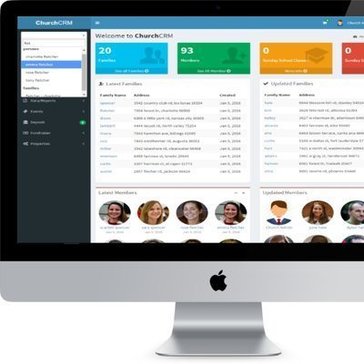
Best Church Management Software

Church management software is a technical solution designed for use by churches as well as other religious organizations. Also known as ChMS, the system helps churches organize, manage, and automate their everyday operations with ease. The tasks handled by such a computerized system range from simple to the most complex. For instance, managing member databases and communications to tracking online giving. To reap the desired benefits from a church management system, you need to choose the right solution with the right set of features. While features tend to vary with the vendors and the church’s requirements, certain factors remain constant. An ideal church management solution would allow you to easily capture, monitor, and maintain your members’ data. It would also facilitate recording and tracking of member attendance at your church and events. The software would also offer management of donations and contributions, including online giving. Since there is a sea of such systems in the market, we’ve compiled a list of the best church management software here so you can choose nothing but the best.

Trusted by thousands of businesses worldwide for unbiased software insights, verified reviews, and expert-curated rankings. Some listings may be sponsored. Learn how SoftwareWorld ensures transparency
  • 4.7 avg. rating from 55 reviews

Last Updated: July 20, 2026

97 Software

Church Management Software helps churches manage members, donations, events, and communication through a centralized platform. Leading tools include ChurchTrac, Breeze ChMS, Tithe.ly, Planning Center, and TouchPoint. These solutions automate administrative tasks, improve engagement, and provide real-time insights into church operations.

Church Management Software (ChMS) is a centralized platform designed to help churches manage administrative, financial, and community-related activities efficiently. It consolidates member data, attendance tracking, event planning, and communication into one system, making it easier for leaders to oversee operations and engage with their congregation.

Churches often struggle with managing multiple processes such as donations, volunteer coordination, and communication across different tools. This leads to inefficiencies, data silos, and administrative overhead. Church management software solves these challenges by automating workflows, centralizing data, and improving coordination across ministries.

Modern ChMS platforms include features like online giving, event management, volunteer scheduling, and member engagement tools. These capabilities help churches streamline daily operations, improve transparency, and foster stronger community connections.

Advanced solutions also offer analytics, mobile apps, and AI-driven insights to track engagement trends, giving patterns, and attendance metrics, enabling data-driven decision-making and long-term growth.

This comparison evaluates Church Management Software based on:
  • Problem it solves (manual admin work, disconnected systems, poor engagement)
  • Core use cases (membership management, donations, communication, events)
  • Industry fit (churches, ministries, faith-based organizations)
  • Automation capabilities (workflows, messaging, reporting, scheduling)
  • Deployment flexibility (cloud-based and mobile-enabled platforms)
  • Scalability for small congregations to large multi-campus churches

Top Church Management Software 2026 – Master Comparison Table

Software Best For Problem It Solves Core Use Cases Industry Fit Key Features AI Powered Deployment Free Plan Starting Price USP
ChurchTrac Affordable all-in-one solution Manual admin and tracking Membership, giving, attendance Small to mid-size churches Member management, donations, check-in, reports No Cloud Yes $9/month Budget-friendly all-in-one platform with strong features
Breeze ChMS Ease of use Complex and outdated systems Membership and communication Churches of all sizes Directory, messaging, event tracking No Cloud No $72/month Simple interface with strong usability
Tithe.ly Online giving and engagement Limited donation tracking Giving, engagement, communication Churches, ministries Online giving, messaging, mobile app Yes Cloud Yes Free / Paid Strong focus on digital giving and engagement
Planning Center Worship and event planning Disorganized service planning Scheduling, events, worship planning Churches Service planning, scheduling, check-ins No Cloud Yes $14/month Best-in-class worship and service planning tools
TouchPoint Mid-to-large churches Disconnected data systems Membership, giving, engagement Growing churches Mobile app, analytics, communication No Cloud No Custom Comprehensive engagement-focused platform
Elvanto Volunteer coordination Manual volunteer scheduling Volunteer and service management Churches Scheduling, planning, communication No Cloud No $50/month Strong volunteer and service coordination
FellowshipOne Large church operations Complex administrative processes Membership, finance, engagement Large churches Advanced reporting, CRM, automation Yes Cloud No Custom Enterprise-level church management solution
Realm Community engagement Low member engagement Communication, giving, events Churches Messaging, events, giving tracking No Cloud No Custom Focus on building strong church communities
One Church Software All-in-one operations Multiple disconnected tools Attendance, giving, communication Churches CRM, donations, automation, reporting No Cloud No $34/month Unified system for all church operations
Bitrix24 Free church management solution Budget constraints CRM, communication, collaboration Small churches CRM, messaging, task management Yes Cloud Yes Free Free platform with broad business tools

How We Evaluated the Best Church Management Software in 2026
1️⃣ Membership and Database Management: We evaluated tools that centralize member data, family records, and engagement history.
2️⃣ Donation and Giving Management: We assessed platforms that track tithes, offerings, and recurring donations.
3️⃣ Communication and Engagement: We reviewed systems that enable email, SMS, and app-based communication with members.
4️⃣ Event and Volunteer Management: We analyzed tools that support event planning, registrations, and volunteer coordination.
5️⃣ Reporting and Analytics: We evaluated platforms that provide insights into attendance, giving, and engagement trends.
6️⃣ Scalability and Church Size Fit: We compared solutions suitable for small churches, growing ministries, and large organizations.

Decision Matrix – Choose the Right Church Management Software
For small churches: ChurchTrac, Bitrix24
For ease of use: Breeze ChMS
For online giving: Tithe.ly
For worship planning: Planning Center
For enterprise churches: FellowshipOne, TouchPoint
For volunteer management: Elvanto

List of Best Church Management Software

Pricing Options

Features

Company Size

I'm looking for Church Management Software that is:

FlockBase

SW Recommended SW Recommended

Church Management Software For Small to Mid-size Churches

   5.0

 (2 Reviews)

Overview

FlockBase helps short-term rental owners and property managers automate guest communication, streamline bookings, and manage operations from one central platform. Instead of juggling multiple tools for messaging, reviews, check-in instructions, and guest feedback, FlockBase combines everything into a simple, automated workflow that saves time and enhances the guest experience. The platform lets ho... Read more about FlockBase

Problem It Solves

  • Problem It Solves Efficiently Manages And Tracks Livestock Data For Farmers And Ranchers

Core Use Cases

  • Core Use Cases Manage Financial Records
  • Core Use Cases Generate Financial Reports
  • Core Use Cases Track Expenses
  • Core Use Cases Analyze Financial Data
  • Core Use Cases Streamline Accounting Processes

Target Users

  • Target Users Small Business Owners
  • Target Users Accountants
  • Target Users Bookkeepers
  • Target Users Financial Advisors
  • Target Users Entrepreneurs

Industry Fit

  • Industry Fit Accounting
  • Industry Fit Non-profit Organizations
  • Industry Fit Small Businesses
  • Industry Fit Churches
  • Industry Fit Membership Organizations

Key Features

  • Key Features User-friendly Interface
  • Key Features Real-time Data Analytics
  • Key Features Seamless Integration
  • Key Features Customizable Dashboards
  • Key Features Secure Data Storage

USP

  • USP Effortless Financial Management For Small Businesses

Pros

  • Pros Church management that covers members, giving, and attendance in one place
  • Pros Built-in fund accounting keeps donation tracking clean and organized
  • Pros Reporting tools give leaders clear visibility into congregation trends
  • Pros Small churches will find the pricing genuinely affordable compared to rivals
  • Pros Getting started takes minimal technical knowledge or lengthy onboarding
  • Pros Contribution statements for members can be generated quickly during tax season

Cons

  • Cons Reporting tools feel basic for larger or growing congregations
  • Cons Mobile experience doesn't match the depth of the desktop version
  • Cons Pricing climbs noticeably once membership numbers start scaling up
  • Cons Setup and data migration require more hands-on effort than expected

Pricing

    Cloud Basic

    $24 Per Month

    Cloud Plus

    $39 Per Month

    Cloud Pro

    $59 Per Month

Free Trial

14 Days

Pricing Type

$24 Per month

Location

United States

Overview

Mobile Text Alerts is a dynamic SMS Marketing Software designed to help businesses engage with their customers through targeted text messaging campaigns. This versatile platform enables users to create, schedule, and send personalized SMS messages, promotions, and alerts with ease. Mobile Text Alerts offers robust features such as contact segmentation, automated responses, and real-time analytics,... Read more about Mobile Text Alerts

Problem It Solves

  • Problem It Solves Instant Communication For Urgent Updates And Notifications

Core Use Cases

  • Core Use Cases Send Emergency Notifications
  • Core Use Cases Promote Sales And Offers
  • Core Use Cases Remind Appointments And Events
  • Core Use Cases Engage With Customers
  • Core Use Cases Provide Real-time Updates

Target Users

  • Target Users Emergency Responders
  • Target Users Business Owners
  • Target Users Event Organizers
  • Target Users School Administrators
  • Target Users Community Leaders

Industry Fit

  • Industry Fit Retail
  • Industry Fit Healthcare
  • Industry Fit Education
  • Industry Fit Finance
  • Industry Fit Hospitality
  • Industry Fit Real Estate

Key Features

  • Key Features Real-time Notifications
  • Key Features Customizable Alerts
  • Key Features User-friendly Interface
  • Key Features Multi-platform Support
  • Key Features Secure Messaging

USP

  • USP Instant Alerts, Stay Informed Anytime, Anywhere

Pros

  • Pros Sending bulk SMS campaigns takes under a few clicks to launch
  • Pros Subscriber management stays clean with simple import and segmentation tools
  • Pros Affordable pricing tiers make it accessible for small businesses and nonprofits
  • Pros Two-way messaging lets contacts reply and keeps conversations actually going
  • Pros API access gives developers room to integrate without heavy documentation diving
  • Pros Keyword opt-in setup works fast and requires almost no technical knowledge

Cons

  • Cons Bulk messaging tools feel basic compared to dedicated marketing platforms
  • Cons Contact segmentation options thin out for larger audience strategies
  • Cons Pricing climbs noticeably as subscriber counts and message volume grow
  • Cons Analytics dashboard lacks the depth power users eventually demand

Pricing

    Basic

    $25 Per Month

Free Trial

Available

Pricing Type

$25 Per month

Location

United States

Verified First

SW Recommended SW Recommended

Quality pre-employment screening, criminal background checks, verifications, and drug testing.

   5.0

 (2 Reviews)

Overview

Verified First is a comprehensive background screening service designed to support businesses in making informed hiring decisions. The platform offers a range of checks, including criminal history, employment and education verification, and credit reports. Notable for its flexibility, Verified First allows for customization of screening packages to suit specific business needs. The service is know... Read more about Verified First

Problem It Solves

  • Problem It Solves Streamlining Background Checks For Faster Hiring Decisions

Core Use Cases

  • Core Use Cases Streamline Background Checks
  • Core Use Cases Enhance Candidate Screening
  • Core Use Cases Automate Employment Verification
  • Core Use Cases Simplify Compliance Management
  • Core Use Cases Improve Hiring Efficiency

Target Users

  • Target Users HR Professionals
  • Target Users Recruiters
  • Target Users Hiring Managers
  • Target Users Talent Acquisition Specialists
  • Target Users Background Check Coordinators

Industry Fit

  • Industry Fit Healthcare
  • Industry Fit Finance
  • Industry Fit Retail
  • Industry Fit Manufacturing
  • Industry Fit Education

Key Features

  • Key Features Background Screening Solutions
  • Key Features Customizable Workflows
  • Key Features Real-time Results
  • Key Features Compliance Management
  • Key Features Integration Capabilities

USP

  • USP Instant Background Checks For Faster And Safer Hiring Decisions

Pros

  • Pros Background screening process integrates directly with most major ATS platforms
  • Pros Criminal, employment, and education checks available within a single dashboard
  • Pros Turnaround times on basic checks are genuinely fast for the industry
  • Pros Support team is responsive and easy to reach when issues arise
  • Pros Compliance tools help HR teams stay aligned with FCRA requirements
  • Pros Candidate experience feels less clunky than older screening competitors
  • Pros Pricing scales reasonably well for mid-sized hiring operations

Cons

  • Cons Background check turnaround times vary depending on county record availability
  • Cons Pricing details require direct contact rather than transparent online listing
  • Cons Integrations work smoothly with major ATS platforms but setup needs guidance
  • Cons Smaller teams may find the service tier options misaligned with their scale

Pricing

    Basic

    $29.99 Per Month

    Essential

    $54.99 Per Month

    Premium

    $79.99 Per Month

Free Trial

NA

Pricing Type

$29.99 Per month

Location

United States

ToucanTech

SW Recommended SW Recommended

All-In-One Community Software

   5.0

 (2 Reviews)

Overview

ToucanTech helps organizations build stronger communities by combining relationship management, engagement, and fundraising tools in one platform. Instead of using separate systems for managing contacts, email communication, events, and donations, ToucanTech brings everything together so teams can nurture relationships throughout the entire supporter lifecycle. The platform is widely used by alumn... Read more about ToucanTech

Problem It Solves

  • Problem It Solves Streamlining Alumni Engagement And Communication For Educational Institutions

Core Use Cases

  • Core Use Cases Connect Communities
  • Core Use Cases Manage Memberships
  • Core Use Cases Organize Events
  • Core Use Cases Share Content
  • Core Use Cases Analyze Data

Target Users

  • Target Users Alumni Relations Officers
  • Target Users Development Professionals
  • Target Users School Administrators
  • Target Users University Advancement Teams
  • Target Users Nonprofit Fundraisers

Industry Fit

  • Industry Fit Education
  • Industry Fit Nonprofits
  • Industry Fit Alumni Relations
  • Industry Fit Fundraising
  • Industry Fit Membership Organizations
  • Industry Fit Community Engagement

Key Features

  • Key Features Community Management Tools
  • Key Features CRM Integration
  • Key Features Event Management
  • Key Features Fundraising Capabilities
  • Key Features Communication Platform
  • Key Features Data Analytics

USP

  • USP Empower Your Community With Seamless Networking And Engagement Tools

Pros

  • Pros Community platform built specifically for alumni networks and membership groups
  • Pros Combines CRM, events, and fundraising tools under one roof
  • Pros No need to juggle separate tools for different community functions
  • Pros Members can connect, message, and network directly within the platform
  • Pros Fundraising and donation tracking feels native, not bolted on
  • Pros Event management handles both virtual and in-person formats well
  • Pros Clean member portal makes self-service updates genuinely easy
  • Pros Dedicated support team familiar with nonprofit and alumni use cases

Cons

  • Cons Reporting tools feel limited for data-heavy alumni engagement strategies
  • Cons Community portal customization options don't stretch as far as expected
  • Cons Pricing structure climbs noticeably as membership and feature needs grow
  • Cons Onboarding new administrators takes more structured effort than initially anticipated
Free Trial

NA

Pricing Type

Contact Vendor

Location

United Kingdom

Church Windows

SW Recommended SW Recommended

Top Church Management Software

   5.0

 (2 Reviews)

Overview

Church Windows is a comprehensive church management software designed to assist churches in efficiently managing their administrative and financial tasks. It offers a range of modules tailored to different aspects of church management. The Membership module allows for detailed tracking of congregant information and attendance, enhancing member engagement and communication. The Donations module str... Read more about Church Windows

Problem It Solves

  • Problem It Solves Streamlining Church Management And Administration For Improved Efficiency And Organization

Core Use Cases

  • Core Use Cases Manage Congregation Data
  • Core Use Cases Track Donations
  • Core Use Cases Schedule Events
  • Core Use Cases Communicate With Members
  • Core Use Cases Generate Reports

Target Users

  • Target Users Church Administrators
  • Target Users Financial Officers
  • Target Users Clergy Members
  • Target Users Volunteer Coordinators
  • Target Users Congregation Members

Industry Fit

  • Industry Fit Nonprofit Organizations
  • Industry Fit Religious Institutions
  • Industry Fit Educational Institutions
  • Industry Fit Community Service Organizations
  • Industry Fit Charitable Foundations

Key Features

  • Key Features Stained Glass Designs
  • Key Features Customizable Sizes
  • Key Features Energy-efficient Glazing
  • Key Features Durable Frames
  • Key Features Easy Installation

USP

  • USP Illuminate Your Faith With Stunning Stained Glass Artistry

Pros

  • Pros Membership records stay organized with detailed household and individual tracking
  • Pros Built-in accounting handles fund-based church finances without workarounds
  • Pros Contribution tracking automatically generates year-end donor statements with minimal effort
  • Pros Scheduler module manages facility bookings and volunteer assignments in one place
  • Pros Desktop-based design keeps sensitive congregation data off third-party cloud servers
  • Pros decades of church-specific updates make it genuinely fit for ministry needs

Cons

  • Cons Reporting tools feel dated compared to modern church management platforms
  • Cons Desktop-first design makes remote access and collaboration noticeably harder
  • Cons Steeper onboarding for volunteers unfamiliar with legacy-style interfaces
  • Cons Pricing structure favors larger congregations, leaving smaller churches with fewer options
Free Trial

NA

Pricing Type

Contact Vendor

Location

United States

All-in-one Church Management Software

   5.0

 (1 Reviews)

Overview

One Church Software is a cloud-based church management platform designed to help churches and faith-based organizations streamline administrative tasks, organize member information, and foster engagement across ministries. It combines people management, communication tools, event scheduling, and financial tracking into a single system so staff and volunteers can spend more time on ministry and les... Read more about One Church Software

Problem It Solves

  • Problem It Solves Cumbersome Church Administrative Workflows And Fragmented Member Data

Core Use Cases

  • Core Use Cases Manage Member Data And Groups
  • Core Use Cases Schedule Events And Services
  • Core Use Cases Track Attendance And Contributions
  • Core Use Cases Send Email And SMS Updates

Target Users

  • Target Users Church Staff
  • Target Users Ministry Coordinators
  • Target Users Volunteer Leaders
  • Target Users Administrative Teams

Industry Fit

  • Industry Fit Churches
  • Industry Fit Religious Ministries
  • Industry Fit Faith Based Organizations
  • Industry Fit Community Groups

Key Features

  • Key Features Member Records Management
  • Key Features Event Scheduling And Registration
  • Key Features Online Giving And Reporting
  • Key Features Attendance And Check-In

USP

  • USP All In One Church Management With People Engagement Tools

Pricing

    CORE

    $58 Per Month

    CORE +

    $82 Per Month

Free Trial

30 Days

Pricing Type

$58 Per month

Location

United States

Bitrix24

SW Recommended SW Recommended

Bitrix24. Your ultimate workspace.

   4.9

 (2 Reviews)

Overview

Bitrix24 is a versatile business management platform designed to streamline tasks and boost team collaboration. It serves as a centralized hub, integrating tools for communication, project management, and customer relationship management. With features like file sharing, automation, calendars, and task tracking, Bitrix24 simplifies daily operations for businesses of all sizes. Its user-friendly in... Read more about Bitrix24

Problem It Solves

  • Problem It Solves Streamlines Team Collaboration And Customer Relationship Management In One Platform

Core Use Cases

  • Core Use Cases Manage Projects
  • Core Use Cases Collaborate With Teams
  • Core Use Cases Automate Workflows
  • Core Use Cases Track Sales
  • Core Use Cases Communicate With Clients

Target Users

  • Target Users Small Business Owners
  • Target Users Project Managers
  • Target Users Sales Teams
  • Target Users HR Professionals
  • Target Users Customer Support Teams

Industry Fit

  • Industry Fit Real Estate
  • Industry Fit Healthcare
  • Industry Fit Education
  • Industry Fit Retail
  • Industry Fit Marketing
  • Industry Fit Construction

Key Features

  • Key Features Collaboration Tools
  • Key Features CRM Integration
  • Key Features Task Management
  • Key Features Document Sharing
  • Key Features Communication Platform
  • Key Features Workflow Automation

USP

  • USP Streamline Your Business With All-in-one Collaboration And CRM Platform

Pros

  • Pros Free plan covers surprisingly large teams without feature gating
  • Pros Built-in absence calendar keeps everyone's time-off visible at a glance
  • Pros HR and project tools live under one roof
  • Pros Approval workflows handle leave requests without external tools
  • Pros Mobile app lets employees submit absences from anywhere
  • Pros Workload tracking helps managers spot coverage gaps before they happen
  • Pros Self-hosted option appeals to companies with strict data policies

Cons

  • Cons Absence tracking setup feels buried within Bitrix24's broader HR tools
  • Cons Free plan limitations surface quickly for teams managing multiple departments
  • Cons Reporting on absences lacks the depth HR-focused teams often need
  • Cons Mobile experience for absence requests feels noticeably clunkier than desktop

Pricing

    Basic

    $24.99 Per Month

    Standard

    $62.63 Per Month

    Professional

    $125.36 Per Month

    Enterprise

    $250.83 Per Month

Free Trial

15 Days

Pricing Type

$24.99 Per month

Location

United States

ChurchTrac

SW Recommended SW Recommended

Church Management Software for Small and Large Churches

   4.8

 (3 Reviews)

Overview

ChurchTrac is an intuitive church management software designed to streamline the administrative tasks of churches of various sizes. Its core functionalities include membership management, where churches can efficiently track and organize member information and attendance records. A standout feature is its accounting module, which simplifies budgeting, accounting, and donation tracking, tailored to... Read more about ChurchTrac

Problem It Solves

  • Problem It Solves Streamlining Church Management And Communication For Better Community Engagement

Core Use Cases

  • Core Use Cases Manage Membership Records
  • Core Use Cases Track Donations
  • Core Use Cases Schedule Events
  • Core Use Cases Facilitate Communication
  • Core Use Cases Generate Reports

Target Users

  • Target Users Church Administrators
  • Target Users Pastors
  • Target Users Worship Leaders
  • Target Users Small Group Leaders
  • Target Users Church Members

Industry Fit

  • Industry Fit Religious Organizations
  • Industry Fit Non-profits
  • Industry Fit Community Organizations
  • Industry Fit Event Management
  • Industry Fit Education

Key Features

  • Key Features Membership Management
  • Key Features Donation Tracking
  • Key Features Event Scheduling
  • Key Features Communication Tools
  • Key Features Financial Reporting
  • Key Features Volunteer Coordination

USP

  • USP Streamline Church Management With Intuitive And All-in-one Software

Pros

  • Pros Affordable pricing makes it accessible even for small congregations
  • Pros Built specifically for churches, not adapted from generic CRM tools
  • Pros Member directory keeps contact and family records neatly organized
  • Pros Contribution tracking simplifies donation records and year-end giving statements
  • Pros Attendance logging works smoothly across multiple services and groups
  • Pros Clean interface means volunteers can learn it without formal training
  • Pros Cloud-based access lets staff manage church data from anywhere
  • Pros Free plan available for smaller churches just getting started

Cons

  • Cons Reporting depth falls short for larger, data-driven ministry teams
  • Cons Mobile experience feels noticeably limited compared to the desktop version
  • Cons Pricing tier jumps catch growing congregations off guard
  • Cons Transitioning from another church platform takes more effort than expected

Pricing

    75 Names

    $9 Per Month

    125 Names

    $18 Per Month

    250 Names

    $36 Per Month

Free Trial

30 Days

Pricing Type

$9 Per month

Location

United States

Neon CRM

SW Recommended SW Recommended

The Best Software For Nonprofits

   4.8

 (2 Reviews)

Overview

Neon CRM is a cloud-based nonprofit CRM software designed to help organizations manage donor relationships, run fundraising campaigns, and strengthen supporter engagement from a single system. It centralizes donor data, communication history, donation records, and campaign activities, giving nonprofit teams a complete view of their supporters. By bringing fundraising, donor management, and communi... Read more about Neon CRM

Problem It Solves

  • Problem It Solves Streamlines Nonprofit Donor Management And Engagement For Better Fundraising Outcomes

Core Use Cases

  • Core Use Cases Manage Donor Relationships
  • Core Use Cases Track Fundraising Campaigns
  • Core Use Cases Automate Communication
  • Core Use Cases Generate Reports
  • Core Use Cases Organize Events

Target Users

  • Target Users Nonprofit Organizations
  • Target Users Fundraising Professionals
  • Target Users Volunteer Coordinators
  • Target Users Membership Managers
  • Target Users Event Planners

Industry Fit

  • Industry Fit Nonprofits
  • Industry Fit Associations
  • Industry Fit Faith-based Organizations
  • Industry Fit Educational Institutions
  • Industry Fit Arts And Culture Organizations

Key Features

  • Key Features Donor Management
  • Key Features Fundraising Tools
  • Key Features Event Management
  • Key Features Membership Management
  • Key Features Communication Tools
  • Key Features Reporting And Analytics

USP

  • USP Streamline Nonprofit Management With Powerful And User-friendly CRM Solutions

Pros

  • Pros Nonprofit-specific design means no awkward workarounds for common tasks
  • Pros Built-in fundraising and membership tools live under one roof
  • Pros Donor management stays organized even with thousands of active records
  • Pros Event registration connects directly to donor profiles without manual syncing
  • Pros Reporting feels genuinely useful rather than buried under confusing menus
  • Pros Pricing tiers make it accessible for smaller nonprofits with tight budgets

Cons

  • Cons Reporting customization hits a wall without technical workarounds
  • Cons Pricing climbs noticeably as your contact list and features grow
  • Cons Interface navigation feels clunky when managing multiple modules together
  • Cons Onboarding new staff takes more structured effort than expected

Pricing

    Essentials

    $99 Per Month

    Impact

    $209 Per Month

    Empower

    $409 Per Month

Free Trial

NA

Pricing Type

$99 Per month

Location

United States

Churchteams

SW Recommended SW Recommended

Church management software to manage people, groups, and online giving.

   4.8

 (2 Reviews)

Overview

Churchteams is a cloud-based church management software designed to support the diverse operational needs of faith-based organizations. It offers a wide range of features, including member management, which allows churches to effectively maintain member profiles and communication. The software also includes group management tools, facilitating small group sign-ups and scheduling. Churchteams provi... Read more about Churchteams

Problem It Solves

  • Problem It Solves Streamlining Church Management And Communication For Better Community Engagement

Core Use Cases

  • Core Use Cases Manage Member Information
  • Core Use Cases Track Attendance
  • Core Use Cases Facilitate Communication
  • Core Use Cases Organize Events
  • Core Use Cases Streamline Volunteer Coordination

Target Users

  • Target Users Church Staff
  • Target Users Small Group Leaders
  • Target Users Volunteers
  • Target Users Church Members
  • Target Users Administrators

Industry Fit

  • Industry Fit Religious Organizations
  • Industry Fit Non-profit Organizations
  • Industry Fit Community Groups
  • Industry Fit Educational Institutions
  • Industry Fit Event Management

Key Features

  • Key Features Small Group Management
  • Key Features Member Engagement Tracking
  • Key Features Volunteer Coordination
  • Key Features Event Scheduling
  • Key Features Contribution Management

USP

  • USP Streamline Church Management With Powerful And User-friendly Software

Pros

  • Pros Small group tracking tools actually work without constant workarounds
  • Pros Built-in texting lets leaders reach members without third-party apps
  • Pros Attendance records update quickly across multiple campuses or locations
  • Pros Volunteer scheduling connects directly to existing member profiles
  • Pros Giving and contribution tracking sits inside the same platform
  • Pros Forms and registration handle event signups with minimal configuration
  • Pros Support team responds fast — real humans, not just docs
  • Pros Pricing stays affordable even as congregation size grows significantly

Cons

  • Cons Reporting customization options feel limited for data-driven ministry teams
  • Cons Mobile experience doesn't quite match the depth of desktop
  • Cons Pricing climbs noticeably as congregation size and features grow
  • Cons New users face a noticeable adjustment period navigating the platform

Pricing

    Starter

    $37 Per Plan

Free Trial

30 Days

Pricing Type

$37 Per

Location

United States

Raklet

SW Recommended SW Recommended

All-in-one Membership and Community Software

   4.8

 (2 Reviews)

Overview

Raklet is a comprehensive membership management and engagement platform designed for clubs, nonprofits, and various organizations. It facilitates efficient management of member databases, event planning, and communication. Raklet's standout feature is its robust CRM system, which allows organizations to maintain detailed member profiles and track interactions. The software includes tools for creat... Read more about Raklet

Problem It Solves

  • Problem It Solves Streamlining Customer Engagement And Relationship Management For Businesses

Core Use Cases

  • Core Use Cases Manage Memberships
  • Core Use Cases Organize Events
  • Core Use Cases Collect Payments
  • Core Use Cases Engage With Community
  • Core Use Cases Analyze Data

Target Users

  • Target Users Event Organizers
  • Target Users Membership-based Organizations
  • Target Users Non-profits
  • Target Users Community Managers
  • Target Users Small Businesses

Industry Fit

  • Industry Fit Nonprofits
  • Industry Fit Education
  • Industry Fit Associations
  • Industry Fit Event Management
  • Industry Fit Membership Organizations
  • Industry Fit Community Groups

Key Features

  • Key Features Membership Management
  • Key Features Event Organization
  • Key Features Payment Processing
  • Key Features Community Engagement
  • Key Features CRM Integration

USP

  • USP Streamline Community Management With Raklet's All-in-one Platform

Pros

  • Pros Member database stays clean with custom fields and filters
  • Pros Built-in CRM tracks every interaction without needing third-party tools
  • Pros Digital membership cards add a professional touch clubs appreciate
  • Pros Event ticketing and RSVPs handled inside one platform already
  • Pros Automated dues collection cuts down on awkward payment follow-ups
  • Pros Private social network keeps members engaged beyond just meetings
  • Pros Email and SMS messaging reach members through preferred channels

Cons

  • Cons Pricing climbs noticeably as member counts and features scale up
  • Cons Advanced automation tools feel limited compared to more specialized platforms
  • Cons Onboarding new admins takes more structured effort than expected

Pricing

    ESSENTIALS

    $49 Per Month

    Professional

    $99 Per Month

    Premium

    $399+ Per Month

Free Trial

Available

Pricing Type

$49 Per month

Location

United States

monday.com

SW Recommended SW Recommended

The Work Management Software To Maximize Business Efficiency

   4.8

 (1 Reviews)

Overview

monday.com is a versatile work operating system designed to streamline collaboration and project management. Its colorful and intuitive interface simplifies complex workflows, offering customizable boards to fit various team needs. From task tracking to project timelines, monday.com adapts to your unique processes. Team members can easily communicate, share files, and update progress in real-time,... Read more about monday.com

Problem It Solves

  • Problem It Solves Streamlining Team Collaboration And Project Management In One Platform

Core Use Cases

  • Core Use Cases Organize Team Workflows
  • Core Use Cases Track Project Progress
  • Core Use Cases Collaborate In Real-time
  • Core Use Cases Automate Repetitive Tasks
  • Core Use Cases Visualize Data Insights

Target Users

  • Target Users Project Managers
  • Target Users Team Leaders
  • Target Users Marketing Professionals
  • Target Users HR Managers
  • Target Users IT Administrators

Industry Fit

  • Industry Fit Project Management
  • Industry Fit Marketing
  • Industry Fit Software Development
  • Industry Fit Construction
  • Industry Fit Education
  • Industry Fit Healthcare

Key Features

  • Key Features Customizable Workflows
  • Key Features Visual Project Tracking
  • Key Features Team Collaboration Tools
  • Key Features Time Tracking
  • Key Features Automation Capabilities

USP

  • USP Streamline Teamwork With Intuitive Project Management

Pros

  • Pros Visual boards make project tracking genuinely easy to grasp quickly,Color-coded workflows help teams spot bottlenecks without digging through reports,Automation setup takes under 10 minutes even for non-technical users,Dozens of pre-built templates cover most project types out of the box,Guest access works well for keeping clients looped in affordably,Integrates cleanly with Slack, Google Drive, and Zoom without friction,Mobile app actually reflects desktop changes in near real-time

Cons

  • Cons Reporting depth falls short for modern analytics-driven zoo teams,Interface design feels noticeably dated compared to current software standards,Onboarding without structured guidance takes longer than it should,Narrow focus on zoo nutrition limits broader wildlife management use

Pricing

    Basic

    $9 Per Month

    Standard

    $12 Per Month

    Pro

    $19 Per User

Free Trial

Available

Pricing Type

$9 Per month

Location

Israel

Marketing 360

SW Recommended SW Recommended

#1 Marketing Platform® for Small Business

   4.6

 (14 Reviews)

Overview

Marketing 360 is a versatile software designed for small to medium-sized businesses, offering a comprehensive suite of marketing tools. It streamlines digital marketing with its user-friendly interface, allowing users to manage social media, create websites, and track SEO performance all in one place. The software features powerful analytics, providing insights into customer behavior and campaign ... Read more about Marketing 360

Problem It Solves

  • Problem It Solves Streamlining Marketing Efforts For Small Businesses To Maximize Reach And Efficiency

Core Use Cases

  • Core Use Cases Enhance Brand Visibility
  • Core Use Cases Generate Leads
  • Core Use Cases Optimize Marketing Campaigns
  • Core Use Cases Track Performance Metrics
  • Core Use Cases Engage With Customers

Target Users

  • Target Users Small Business Owners
  • Target Users Marketing Managers
  • Target Users Digital Marketing Agencies
  • Target Users Entrepreneurs
  • Target Users E-commerce Businesses

Industry Fit

  • Industry Fit Retail
  • Industry Fit Healthcare
  • Industry Fit Real Estate
  • Industry Fit Professional Services
  • Industry Fit E-commerce
  • Industry Fit Hospitality

Key Features

  • Key Features User-friendly Interface
  • Key Features Real-time Analytics
  • Key Features Customizable Templates
  • Key Features Multi-channel Integration
  • Key Features Automated Reporting

USP

  • USP Empower Your Brand With Innovative Marketing Solutions

Pros

  • Pros All-in-one platform covers ads, CRM, email, and social tools
  • Pros Built-in marketing team removes the need to hire separately
  • Pros Small businesses get enterprise-level marketing support at accessible pricing
  • Pros The Nurture marketing feature keeps leads warm without manual effort
  • Pros Real-time analytics dashboard shows campaign performance across every channel
  • Pros Natural Listings tool helps improve organic search rankings over time
  • Pros Dedicated account managers give personalized guidance beyond just software access
  • Pros Content marketing and design services come bundled inside the platform

Cons

  • Cons Bundled platform means paying for tools you may never use
  • Cons Analytics dashboard takes time to navigate without prior onboarding
  • Cons Smaller businesses may find the pricing climbs faster than expected
  • Cons Heavy reliance on their managed services limits hands-on control
Free Trial

NA

Pricing Type

Contact Vendor

Location

United States

Overview

ProPresenter is a powerful church presentation software designed to help religious organizations create and deliver engaging worship presentations. This comprehensive platform offers features such as customizable slide templates, media management, and live presentation tools, enabling users to craft impactful services effectively. With its userfriendly interface, worship leaders can easily import ... Read more about ProPresenter

Problem It Solves

  • Problem It Solves Enhances Live Presentations With Seamless Media Integration And Control

Core Use Cases

  • Core Use Cases Create Dynamic Presentations
  • Core Use Cases Manage Multimedia Content
  • Core Use Cases Control Live Displays
  • Core Use Cases Integrate With Worship Services
  • Core Use Cases Enhance Audience Engagement

Target Users

  • Target Users Church Media Teams
  • Target Users Event Production Crews
  • Target Users Worship Leaders
  • Target Users Educators
  • Target Users Conference Organizers

Industry Fit

  • Industry Fit Churches
  • Industry Fit Live Events
  • Industry Fit Education
  • Industry Fit Broadcasting
  • Industry Fit Corporate Presentations
  • Industry Fit Conferences

Key Features

  • Key Features Advanced Slide Design
  • Key Features Seamless Media Integration
  • Key Features Live Streaming Support
  • Key Features Multi-screen Capability
  • Key Features Real-time Editing

USP

  • USP Engage Audiences Effortlessly With Dynamic And Professional Presentations

Pros

  • Pros Presentation software helps churches and event teams manage live visuals smoothly
  • Pros Media controls support lyrics, videos, slides, and stage displays
  • Pros Multi screen output improves production quality for live environments
  • Pros Templates and playlists make recurring presentations easier to organize
  • Pros Works well for worship, conferences, and live production teams

Cons

  • Cons Learning curve can be noticeable for new production volunteers
  • Cons Performance depends heavily on computer hardware and media size
  • Cons Advanced setup may require audio visual technical knowledge
Free Trial

Available

Pricing Type

Contact Vendor

Location

United States

The Church Texting Service You'll Love.

   4.5

 (3 Reviews)

Overview

Clearstream is a web-based communication platform that enables churches and nonprofit organizations to engage effectively with their members and communities through texting and email. Originally focused on helping congregations replace fragmented methods like group texts or email lists, the platform combines mass texting, two-way messaging, automated workflows, and email into a unified outreach sy... Read more about Clearstream

Problem It Solves

  • Problem It Solves Inefficient Church Communication And Member Engagement Workflows

Core Use Cases

  • Core Use Cases Sync Contacts With Church Management Software
  • Core Use Cases Send Sermon Announcements And Reminders
  • Core Use Cases Run Automated Member Engagement Workflows
  • Core Use Cases Follow Up With New Visitors

Target Users

  • Target Users Church Staff
  • Target Users Ministry Leaders
  • Target Users Volunteer Managers
  • Target Users Communications Teams

Industry Fit

  • Industry Fit Churches
  • Industry Fit Faith-Based Organizations
  • Industry Fit Community Ministries
  • Industry Fit Religious Outreach

Key Features

  • Key Features Mass Texting And Messaging
  • Key Features Integration With ChMS
  • Key Features Automated Workflows
  • Key Features Email Campaigns

USP

  • USP Unified Text And Email Outreach Platform Built For Churches

Pricing

    Clearstream

    $29 Per Month

Free Trial

30 Days

Pricing Type

$29 Per month

Location

United States

CallHub

SW Recommended SW Recommended

All-in-one campaigning & organizing platform to drive real change.

   4.5

 (2 Reviews)

Overview

CallHub is a cloud-based communication and outreach software that enables teams to connect with supporters through voice calls, SMS messaging, and automated communication campaigns. This outreach and engagement platform helps organizations manage large-scale calling and texting campaigns, improving supporter engagement and streamlining communication workflows. Read more about CallHub

Problem It Solves

  • Problem It Solves Streamlines Communication And Engagement For Businesses With Customers

Core Use Cases

  • Core Use Cases Automate Call Campaigns
  • Core Use Cases Engage With SMS Marketing
  • Core Use Cases Track Communication Analytics
  • Core Use Cases Personalize Customer Interactions
  • Core Use Cases Integrate With CRM Systems

Target Users

  • Target Users Campaign Managers
  • Target Users Political Organizations
  • Target Users Non-profits
  • Target Users Advocacy Groups
  • Target Users Customer Support Teams

Industry Fit

  • Industry Fit Nonprofit
  • Industry Fit Political Campaigns
  • Industry Fit Education
  • Industry Fit Real Estate
  • Industry Fit Healthcare

Key Features

  • Key Features Automated Call Campaigns
  • Key Features SMS Broadcasting
  • Key Features Contact Management
  • Key Features Real-time Analytics
  • Key Features CRM Integration

USP

  • USP Boost Engagement With Seamless Communication Solutions

Pros

  • Pros Cloud communication platform supports voice calls, SMS campaigns, and outreach workflows efficiently
  • Pros Political campaigns and nonprofits can manage mass communication from one platform
  • Pros Automation tools simplify large scale outreach and engagement activities
  • Pros Real time reporting improves visibility into campaign performance metrics
  • Pros Integrates with CRM and advocacy platforms for streamlined operations

Cons

  • Cons Call quality can vary depending on network and regional conditions
  • Cons Advanced campaign setup may require onboarding for new users
  • Cons Pricing may increase significantly with large communication volumes
Free Trial

NA

Pricing Type

Contact Vendor

Location

United States

Text Communication Software For Churches

   4.5

 (2 Reviews)

Overview

Text In Church is a church communication platform that helps ministries connect with members through targeted and timely text messaging. It enables churches to send event updates, prayer messages, reminders, and follow ups directly to congregants’ phones from one centralized system. With tools for contact segmentation, message scheduling, and engagement tracking, Text In Church makes outreach mo... Read more about Text In Church

Problem It Solves

  • Problem It Solves Enhances Church Communication By Making Outreach Personal Timely And Easily Managed.

Core Use Cases

  • Core Use Cases Send Event Reminders
  • Core Use Cases Share Prayer Requests
  • Core Use Cases Coordinate Volunteers
  • Core Use Cases Communicate With Groups
  • Core Use Cases Track Member Engagement

Target Users

  • Target Users Pastors
  • Target Users Church Staff
  • Target Users Volunteer Coordinators
  • Target Users Outreach Teams
  • Target Users Small Group Leaders

Industry Fit

  • Industry Fit Religious Organizations
  • Industry Fit Nonprofits
  • Industry Fit Ministries
  • Industry Fit Congregational Groups

Key Features

  • Key Features Bulk And Targeted Texting
  • Key Features Contact Segmentation
  • Key Features Message Scheduling
  • Key Features Engagement Tracking
  • Key Features Integrations With Church Tools

USP

  • USP Church Focused Messaging Platform That Strengthens Community Engagement

Pros

  • Pros Digital Connect Cards Capture Visitor Information Without Paper Forms
  • Pros Automated Guest Follow Up Workflows Help Churches Stay Connected Beyond Sunday
  • Pros Combines Text Messaging Email And Calling In One Unified Church Communication Platform
  • Pros Prebuilt Messaging Templates Save Time For Weekly Church Communications
  • Pros Supports Unlimited Contacts Users And Groups Across All Church Sizes
  • Pros Integrates With Popular Church Management Systems Including Planning Center And Rock RMS

Cons

  • Cons Monthly Text Message Limits Can Increase Communication Costs For Larger Congregations
  • Cons Advanced Automation Features Require Initial Setup To Maximize Their Effectiveness
  • Cons Organizations With Complex Ministry Databases May Need Additional Integrations For Complete Data Synchronization

Pricing

    Basic

    $31 Per Month

    Pro

    $56 Per Month

    Premium

    $81 Per Month

Free Trial

14 Days

Pricing Type

$31 Per month

Location

United States

Overview

HelloAsso is an innovative membership management software designed specifically for associations and nonprofits to streamline their operations and enhance member engagement. This platform offers a range of features for managing memberships, organizing events, and collecting donations effortlessly. With HelloAsso, organizations can create customized membership forms, allowing potential members to j... Read more about HelloAsso

Free Trial

NA

Pricing Type

Contact Vendor

Location

France

Overview

MinistryTracker.com is an all-in-one church management software designed to enhance the operational efficiency of churches and ministries. This comprehensive platform offers a suite of features that streamline member management, event scheduling, and donation tracking. Users can easily manage member information, track attendance, and communicate with congregants through integrated messaging tools.... Read more about MinistryTracker.com

Pricing

    Standard

    $44.99 Per Month

Free Trial

Available

Pricing Type

$44.99 Per month

Location

United States

Overview

AssoConnect is a robust membership management software designed to simplify operations for associations, non-profits, and clubs. This platform offers tools to manage memberships, track renewals, and automate communication with members, creating a more organized and engaging experience. With AssoConnect, organizations can handle online payments, event registrations, and fundraising campaigns, helpi... Read more about AssoConnect

Problem It Solves

  • Problem It Solves Streamlining Nonprofit Management And Fundraising For Better Efficiency And Impact

Core Use Cases

  • Core Use Cases Manage Memberships
  • Core Use Cases Streamline Communication
  • Core Use Cases Simplify Event Organization
  • Core Use Cases Track Donations
  • Core Use Cases Generate Financial Reports

Target Users

  • Target Users Nonprofit Organizations
  • Target Users Association Managers
  • Target Users Membership Coordinators
  • Target Users Event Organizers
  • Target Users Fundraising Teams

Industry Fit

  • Industry Fit Nonprofits
  • Industry Fit Associations
  • Industry Fit Charities
  • Industry Fit Membership Organizations
  • Industry Fit Educational Institutions
  • Industry Fit Religious Organizations

Key Features

  • Key Features Membership Management
  • Key Features Donation Tracking
  • Key Features Event Management
  • Key Features Communication Tools
  • Key Features Financial Reporting
  • Key Features CRM Integration

USP

  • USP Streamline Nonprofit Management With All-in-one Software

Pros

  • Pros Built specifically for nonprofits and associations, not generic businesses
  • Pros Membership management covers renewals, directories, and dues in one place
  • Pros Online payment processing handles donations and subscriptions without third-party tools
  • Pros Event registration and ticketing feel genuinely easy to configure
  • Pros French associations benefit from built-in compliance with local regulations
  • Pros Communication tools let you send newsletters directly from the platform
  • Pros Accounting module designed around nonprofit financial structures, not corporate ones
  • Pros Mobile access keeps volunteer coordinators updated without needing a desktop

Cons

  • Cons Membership management tools feel rigid for associations with unique structures
  • Cons Reporting depth falls short for data-driven nonprofit administrators
  • Cons Pricing climbs noticeably as member count and features grow
  • Cons Mobile experience lacks the polish found on desktop

Pricing

    Liberty

    Contact Vendor

Free Trial

Available

Pricing Type

Contact Vendor

Location

France

Overview

MapleSoft Giving is a comprehensive church management software designed to streamline operations for religious organizations. The platform offers tools for managing donations, tracking attendance, and communicating with congregation members effectively. With its user-friendly interface, church staff can easily access member information, manage events, and generate reports on financial contribution... Read more about MapleSoft Giving

Pricing

    Basic

    $69 Per User

Free Trial

Available

Pricing Type

$69 Per user

Location

Canada

Complete platform for digital engagement, church management, and more.

Overview

Subsplash is a unique digital platform tailored to meet the needs of churches and Christian organizations by enhancing their digital engagement and communication. The core of Subsplash's offerings is its app development service, enabling churches to create custom, branded mobile apps. These apps facilitate church-wide communication, content sharing, and media distribution, such as sermons and musi... Read more about Subsplash

Free Trial

NA

Pricing Type

Contact Vendor

Location

United States

Pushpay

SW Recommended SW Recommended

Increase giving, build engagement, and fulfill your mission

Overview

Pushpay is a cutting-edge payment processing software designed to facilitate secure and efficient transactions for businesses and nonprofit organizations. This platform provides comprehensive tools for managing online payments, recurring donations, and invoicing, enabling organizations to streamline their financial operations. With features such as mobile payment processing, customizable donation ... Read more about Pushpay

Problem It Solves

  • Problem It Solves Streamlining Church Giving And Engagement Through Digital Solutions

Core Use Cases

  • Core Use Cases Streamline Donation Processing
  • Core Use Cases Enhance Donor Engagement
  • Core Use Cases Simplify Church Management
  • Core Use Cases Facilitate Event Registration
  • Core Use Cases Improve Financial Reporting

Target Users

  • Target Users Church Administrators
  • Target Users Pastors And Ministry Leaders
  • Target Users Church Members
  • Target Users Donors
  • Target Users Financial Officers

Industry Fit

  • Industry Fit Religious Organizations
  • Industry Fit Non-profits
  • Industry Fit Education
  • Industry Fit Healthcare
  • Industry Fit Community Services

Key Features

  • Key Features Mobile Giving
  • Key Features Donor Management
  • Key Features Church App Integration
  • Key Features Event Registration
  • Key Features Financial Reporting
  • Key Features Engagement Tools

USP

  • USP Streamline Church Donations With Seamless Digital Giving Solutions

Pros

  • Pros Donation forms are clean and take under two minutes to complete
  • Pros Church management and giving tools live inside one connected platform
  • Pros Recurring giving setup encourages consistent donor habits without extra friction
  • Pros Mobile app experience feels genuinely polished compared to most nonprofit tools
  • Pros Campus-level reporting lets multi-site churches track giving independently
  • Pros Onboarding support is hands-on, not just a help doc library
  • Pros Faith-based focus means features actually match how churches operate

Cons

  • Cons Donor management tools feel limited without upgrading to higher tiers
  • Cons Reporting customization falls short for data-driven finance teams
  • Cons Onboarding smaller congregations takes more hand-holding than expected
  • Cons Mobile giving experience varies noticeably depending on the device used

Pricing

    Basic

    $199 Per Feature

Free Trial

NA

Pricing Type

$199 Per feautre

Location

United States

Overview

Anedot is a leading political campaign software that simplifies fundraising and donor management for political campaigns, non-profits, and advocacy groups. The platform provides tools for creating custom donation pages, processing contributions, and tracking donor activity in real time. With Anedot, political campaigns can engage supporters, manage volunteer efforts, and optimize their fundraising... Read more about Anedot

Free Trial

Available

Pricing Type

Contact Vendor

Location

United States

Animaker

SW Recommended SW Recommended

The Future of Video Making Starts Here.

Overview

Animaker is a userfriendly animation software designed to help individuals and businesses create engaging animated videos effortlessly. This platform provides a wide range of templates, characters, and animation tools, enabling users to bring their ideas to life without needing extensive animation skills. With its draganddrop interface, users can easily customize scenes, add voiceovers, and incorp... Read more about Animaker

Problem It Solves

  • Problem It Solves Simplifies Animated Video Creation For Non-designers

Core Use Cases

  • Core Use Cases Create Animated Videos
  • Core Use Cases Design Engaging Presentations
  • Core Use Cases Develop Marketing Content
  • Core Use Cases Produce Educational Materials
  • Core Use Cases Customize Video Templates

Target Users

  • Target Users Small Business Owners
  • Target Users Marketing Professionals
  • Target Users Educators
  • Target Users Content Creators
  • Target Users Social Media Managers

Industry Fit

  • Industry Fit Marketing
  • Industry Fit Education
  • Industry Fit Entertainment
  • Industry Fit Advertising
  • Industry Fit Training
  • Industry Fit Social Media

Key Features

  • Key Features Drag-and-drop Interface
  • Key Features Extensive Character Library
  • Key Features Customizable Templates
  • Key Features Voiceover And Music Options
  • Key Features High-quality Video Export

USP

  • USP Create Stunning Animations Effortlessly With Animaker's Intuitive Platform

Pros

  • Pros Video creation platform helps businesses produce animated content efficiently
  • Pros Drag and drop editor simplifies video creation for non technical users
  • Pros Template library improves speed of content production workflows
  • Pros Voiceover and animation tools support engaging digital communication activities
  • Pros Works well for marketing and social media video creation

Cons

  • Cons Advanced editing capabilities may feel limited for professional production needs
  • Cons Rendering performance can vary with complex projects
  • Cons Premium assets require higher subscription plans

Pricing

    Basic

    ₹1250 Per Month

    Standard

    ₹2083 Per Month

    Pro

    ₹3583 Per Month

Free Trial

Available

Pricing Type

₹1250 Per month

Location

United States

Explore Today’s Featured Church Management Software

ParishSOFT

Catholic Church Software for Parishes and Dioceses

Overview

ParishSOFT is a dynamic church management software designed primarily for Catholic parishes and dioceses. It offers a suite of tools to streamline administrative tasks and enhance parish management. The software's core features include comprehensive family and member tracking, allowing for detailed records of parishioner data and their involvement in parish life. ParishSOFT also provides robust of... Read more about ParishSOFT

Free Trial

NA

Pricing Type

Contact Vendor

Location

United States

Planning Center

Organize ministries, coordinate events, plan services, and communicate with your team with church management software.

Overview

Planning Center is a comprehensive suite of applications designed to assist churches in managing various aspects of their ministry and services. Central to its functionality is the service planner, which allows churches to meticulously plan their worship services, including scheduling volunteers, organizing music, and creating service outlines. Another significant component is the people applicati... Read more about Planning Center

Problem It Solves

  • Problem It Solves Streamlining Church Management And Communication For Better Community Engagement

Core Use Cases

  • Core Use Cases Manage Event Registrations
  • Core Use Cases Coordinate Volunteer Schedules
  • Core Use Cases Track Attendance
  • Core Use Cases Organize Member Information
  • Core Use Cases Facilitate Communication

Target Users

  • Target Users Church Administrators
  • Target Users Worship Leaders
  • Target Users Event Coordinators
  • Target Users Volunteer Coordinators
  • Target Users Congregation Members

Industry Fit

  • Industry Fit Churches
  • Industry Fit Non-profit Organizations
  • Industry Fit Event Management
  • Industry Fit Education
  • Industry Fit Community Groups

Key Features

  • Key Features Service Scheduling
  • Key Features Volunteer Management
  • Key Features Resource Management
  • Key Features Event Planning
  • Key Features Communication Tools

USP

  • USP Streamline Church Management With Seamless And Intuitive Software Solutions

PROS

  • PROS Church management platform simplifies scheduling, giving, and worship planning workflows
  • PROS Volunteer coordination tools improve communication and team organization
  • PROS Integrated calendar and event management features support ministry operations efficiently
  • PROS Mobile accessibility helps staff and volunteers stay updated remotely
  • PROS Modular structure allows churches to scale features gradually as needed

CONS

  • CONS Pricing can increase as additional modules and users are added
  • CONS Some advanced reporting capabilities may feel limited
  • CONS Initial setup may take time for larger church organizations
Free Trial

30 Days

Pricing Type

Contact Vendor

Location

United States

KidCheck

KidCheck provides secure children's check-in software.

Overview

KidCheck is a comprehensive childcare management software designed to prioritize child safety and simplify administrative tasks for organizations like churches, childcare centers, and after-school programs. Its standout feature is a secure check-in/check-out system that ensures only authorized individuals can pick up children, enhancing security. KidCheck also offers easy attendance tracking, secu... Read more about KidCheck

Pricing

    Starter

    $25 Per Month

Free Trial

NA

Pricing Type

$25 Per month

Location

United States

Church Management Software Buyer's Guide

A software application makes the world a better place and the same goes right with churches as well. A Church Management Software can let your church survive and thrive through many tools. This guide will help you to select the best church management software (ChMS) that will better address your needs. It will help you to figure out the right software that will enable you to spend more time with your ministry and less time with paperwork.

» What is the meaning of church management?

By definition, church management refers to handling all of the activities and processes required for smoother operations of the church. These processes include managing church finances, members, staff, and volunteers to planning for events and potential risks. Apart from that, organizing schedules and maintaining church assets and facilities also come under church management.

» Before Choosing a Good Church Management Software

With the availability of a large number of options to choose from, anyone can be confused while selecting a good Church Management Software. Hence, we have compiled the most important points one should remember before going for any particular Church Software. So, let’s check them out now.

› Based on Needs:

Understanding the Church’s needs is equally important to that of choosing a good Church Software to work. When you have adequately listed out the points which you require in the software, the task becomes comparatively easy. Thus helping to choose you from a myriad of choices without churning your head.

› Based on Price:

The Church Management Software comes at different prices, mostly differing from each other depending upon their facilities and tools. Hence, one should calculate a user-friendly budget first and then explore the various available software within the price to avoid pressure on the expenditure.

› Based on the Number of People:

The total number of people who will be using the Church Management Software also has a more significant impact on the type of Church Management Software you are going to use. Hence, running an analysis of the total number of users can prevent last-minute headaches.

› Based on Extensions:

Another essential factor is the use of extensions. Many Church Management Software supports a wide range of extensions, which also come with a heavy hiring price. Thus, if you need a customizable Church Software, you may have to pay a hefty amount as your subscription charges.

» Questions to ask a vendor when buying best Church Management Software

1. How long does the church management software implementation take?
2. What kind of resources would I receive after making the purchase?
3. Will the price change in case we expand in the future?
4. Is the software adaptable enough to fulfill the church’s future demands?
5. Does the solution provide easy integrations with other tools that I already use at the church?
6. Is there a one-time fee or monthly/annual billing?
7. How does the management and tracking of volunteers and events work?
8. Does the ChMS include calendars for better planning?
9. How does the software simplify communication, both between my team and with the members? Can I send out mass emails and messages?
10. Are there real-time updates?
11. What about the security of data? What standards do you follow?
12. Is there an integration with social media?
13. Does the system support online giving?
14. How secure and effective is the child check-in function?
15. Would the solution provide analytics and reports?
16. What all features can I customize? Do I need to pay extra for customizing the software?
17. Is the software compatible with mobile devices?
18. Do we need to undergo special training sessions before we can start to use the system?

» What are the benefits of Church Management Software?

It becomes quite challenging to manage the growing number of people for any faith institution, as manual screening can lead to mistakes and hence, give rise to confusion and dissatisfaction among the masses. Here, using a Church Management Software can effectively help in reducing the growth and expansion of such problems.

So, let’s now talk on the numerous benefits a church management software can bestow upon its users.

› Eliminating Pen and Paper-based method:

Following the pen and paper-based processes to list out all the vital Church records and data increases the risk of potential mistakes. This is because a single Church can also house a large number of people as its disciples and hence, maintaining a 100% legitimate and mistake-free data can take both long time and use of more resources to complete.

› Accessibility:

The Church Database software also streamlines the job for the admin as it collects and gathers all information in a single place, such as calendar events, upcoming meetings, functions, and more. This, when shared with the approved circle members, can notify them in real-time for the future community meetings and more.

› Financial Reports:

What can be better than a Church software which not only helps in managing the Church and its activities but also provides a detailed report on the financial expenditures as desired? With the handy and fully-customizable financial statements, one can easily keep a track on the weekly and monthly spending and plan out a more effective way to increase mass participation while simultaneously ensuring lower expenses.

› Personalized Intimations:

The Church Management Software also comes with personal intimation facilities which are the most elegant way to keep your Church members notified in case of an upcoming function, community meeting, or even a funeral. Moreover, the software also supports mass intimation through emails which saves a lot of time as compared to designing and sending every email individually.

» What are the features of Church Management Software?

Specially designed to reduce the workload on the faith institutions, Church Management Software comes with many unique features which sets them apart from any other management software. So, to have a complete understanding of how to implement and utilize the various elements of the Church Software, let’s have a brief look at the numerous features of the software.

› Membership and Events Management:

With the church bookkeeping software, the faith institutions can keep a track on the total number of believers attending the Church with their times to reduce the dropouts by helping them resolve their issues beforehand. Similarly, the software also comes in handy during organizing events by lending a hand in noting down important details like payment processing, tracking, and reporting, etc.

› Finance Tracker:

The in-built finance tracker also helps the admins or managers to track the total expenditure, uploading every single financial bill in a unique place, adding donations by people and noting revenues all in a single location. Being a handy feature, it allows higher officials to keep a track and verify the bill’s authenticity, thus, preventing any potential frauds.

› Communication Tools:

Furthermore, various Church Software also comes with communication tools which help individuals to send intimations via emails, SMS, or pop-ups to a group of people at a single time. As a wider audience is reached through in a single instance, the communication tools help increase mass participation as well as gain followers to the Church.

› Check-in and Child Security Management:

Nowadays many church management software also comes with check-in and child security management to help you track the entry and exit of the Church members including children which acts as a safe layer concerning the safety of the members. Being ready to use and user-friendly, these trackers can be turned on to manage the activities efficiently for specific meet-ups and locations.

» How much does Church Management Software Cost?

The pricing of a church management software starts at the lowest monthly subscription of $4. There are also some free versions available with limited features. Some free versions of church management include Bitrix24, CCIS Church Management Software, and ChurchTrac, etc. To get the premium feature, you need to pay a monthly subscription ranging from $5 to $39. ChurchTrac charges $5, CCIS Church Management Software offers premium at $30, and Bitrix24 has a pricier side with $39 per month.

If you don’t want to be involved with the hassle of a monthly payment, then you can buy ACS and Power Church Plus Software, which charges $280 and $395 for a lifetime Subscription. You can also avail the SaaS model of the Power Church Plus Software with a monthly subscription of $39.95 and a yearly price of $455. Other popular church worship software like Breeze ChMS, CCIS, Faithful Steward, charges $50, $30, and $20 per month respectively.
CCIS Church Management Software and Faithful Steward offer web-based platforms with a monthly price of $29.99 and $20 respectively. However, you have to pay an additional $20 as an activation charge if you choose Faithful Steward.

All churches have their specific requirement based on the number of followers, donors and the amount of work they execute daily. A church management software comes with various features and benefits, and for that, you have to shell out some extra money as well. While some software with essential elements offers free services, they don’t provide the same user-friendly interface or security which are required in this current scenario. Rest, the choice is yours.

» Conclusion

With the emerging challenges and issues while running a church or any faith-based community requires the assistance of modern technology. All the product features and benefits we are discussing in the preceding sections are enough to clear your confusions about the usage of the Church Management System. It’s better to realize the crucial aspects of current technology and adapt it to empower our existing technology.

The good thing is that most churches around the world are understanding it and seeing the productive output. Managing your vital resources, finances, along with addressing a myriad of operations is impossible to handle manually. Partnering yourself with technology can help you eradicate all the operational errors and assist you in running your community with full optimization.

Why Trust SoftwareWorld Why Trust SoftwareWorld

At SoftwareWorld, we believe choosing the right software or service partner should be based on clarity, credibility, and real insights, not marketing noise. Our mission is to help businesses make confident, data-driven decisions through unbiased research and structured evaluation.

We combine expert analysis, real user feedback, and market data to ensure every recommendation delivers practical value and helps buyers discover the most relevant solutions for their needs.

Our Review & Evaluation Process Our Review & Evaluation Process

Every software product and service provider listed on SoftwareWorld is evaluated through a multi-layered approach designed to highlight quality, relevance, and practical value.

  • Verified user reviews and real-world feedback
  • Product capabilities and core use cases
  • Industry relevance and business fit
  • Feature depth and innovation, including AI capabilities where applicable
  • Market presence and vendor credibility

For service providers, we also review project portfolios, case studies, specialization areas, and delivery capabilities to help buyers compare partners more effectively.

How We Ensure Authentic Reviews How We Ensure Authentic Reviews

We prioritize review quality and reliability so buyers can make decisions based on genuine experiences rather than inflated or misleading signals.

  • Reviews are assessed for quality, relevance, and duplication patterns
  • Suspicious, low-quality, or biased submissions are filtered or removed
  • Ongoing monitoring helps maintain long-term review integrity

This helps SoftwareWorld maintain a review environment focused on useful, decision-supporting insights.

Transparent Rankings, Not Pay-to-Win Transparent Rankings, Not Pay-to-Win

SoftwareWorld does not rank products or service providers solely based on payments. Our category visibility is shaped by a mix of relevance, category fit, capabilities, market signals, and user value.

  • Category relevance and specialization
  • Product or service quality signals
  • User feedback and engagement trends
  • Business use case fit and market demand

Sponsored or featured placements, where applicable, are clearly identified to maintain transparency for buyers.

Built for Better Business Decisions Built for Better Business Decisions

SoftwareWorld is designed to help buyers move from discovery to shortlist with confidence by offering structured comparisons, practical use case insights, and category-specific guidance.

  • Clear comparison-focused content
  • Practical use case coverage
  • Decision-ready information for faster evaluation

Our goal is to reduce research friction and make it easier for businesses to choose solutions that match their real operational needs.

Our Commitment to Trust Our Commitment to Trust

We continuously improve our systems to maintain data accuracy, content transparency, and fair visibility across our platform. SoftwareWorld helps businesses discover, compare, and choose the right software and service partners through unbiased insights, structured evaluation, and real-world use cases.

Frequently Asked Questions

Church Management Software is designed to help churches manage member databases, events, donations, volunteer coordination, and communication all in one platform.

It simplifies church operations, improves engagement, tracks attendance and giving, and helps leaders manage ministries more efficiently.

Important features include member directory, donation tracking, event management, group communication, volunteer scheduling, and reporting.

Look for user-friendly design, strong communication tools, donor tracking, mobile access, event features, and reliable customer support.

Understand your church's size and needs, compare core features, check for scalability, request a demo, and read user reviews.

It matters. Cloud-based systems offer remote access and updates, while on-premise systems may offer more internal control.

Check if it supports increasing member records, multiple locations, advanced reporting, and new modules as your church expands.

Compare member tracking, group messaging, donation tools, volunteer coordination, calendar features, and integration capabilities.

It protects sensitive member and donation data, ensures compliance, and builds trust within your church community.

They vary in usability, pricing, mobile support, communication features, and customization for different ministry needs.
Get Expert Help